Viamo wedding planner
A wedding planner that reduces running a wedding to one tool: a digital invitation, RSVPs, a guest list and a table plan you build by dragging.
- Client
- Viamo, svečani salon
- Service
- Design and development of wedding planning software
- Industry
- Weddings and banquet halls
O projektu
Viamo is software for a banquet hall and the couples who organise their wedding there. Every couple gets their own space in which they follow the progress of planning, from the first invitations to the final seating plan.
The application connects the whole journey of the guest: the invitation the couple sends with a single link, the RSVP the guest fills in themselves and the table plan that is finally shown on TV screens in the hall.
Izazov
Wedding planning is usually run through spreadsheets, messages and paper sketches. The guest list, RSVPs, dietary requirements and table plan keep drifting apart, and the restaurant and the hall need an exact final version every time.
Rješenje
Everything is connected in one application. When a guest fills in the invitation, they automatically appear on the list with their RSVP and special requests. From there the couple drags them to a seat at a table, and the final plan and the summary for the restaurant are generated without retyping.
Što smo napravili
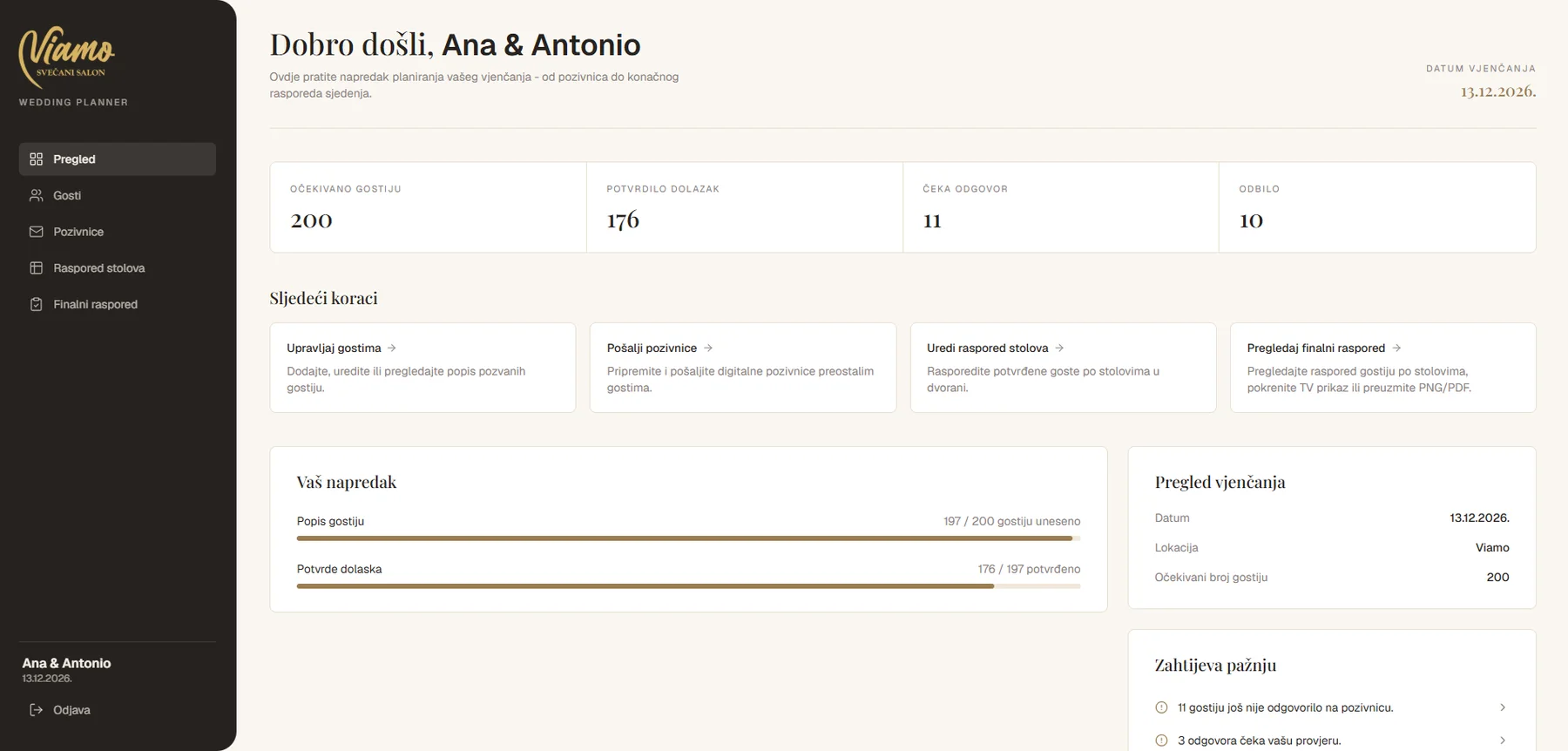
The whole wedding on one screen
The start screen shows how many guests are expected, how many have confirmed, how many are waiting to reply and how many are not coming. It also shows the progress of entries and confirmations and what needs to be done next.
- Expected guests
- RSVPs
- Next steps
- What needs attention
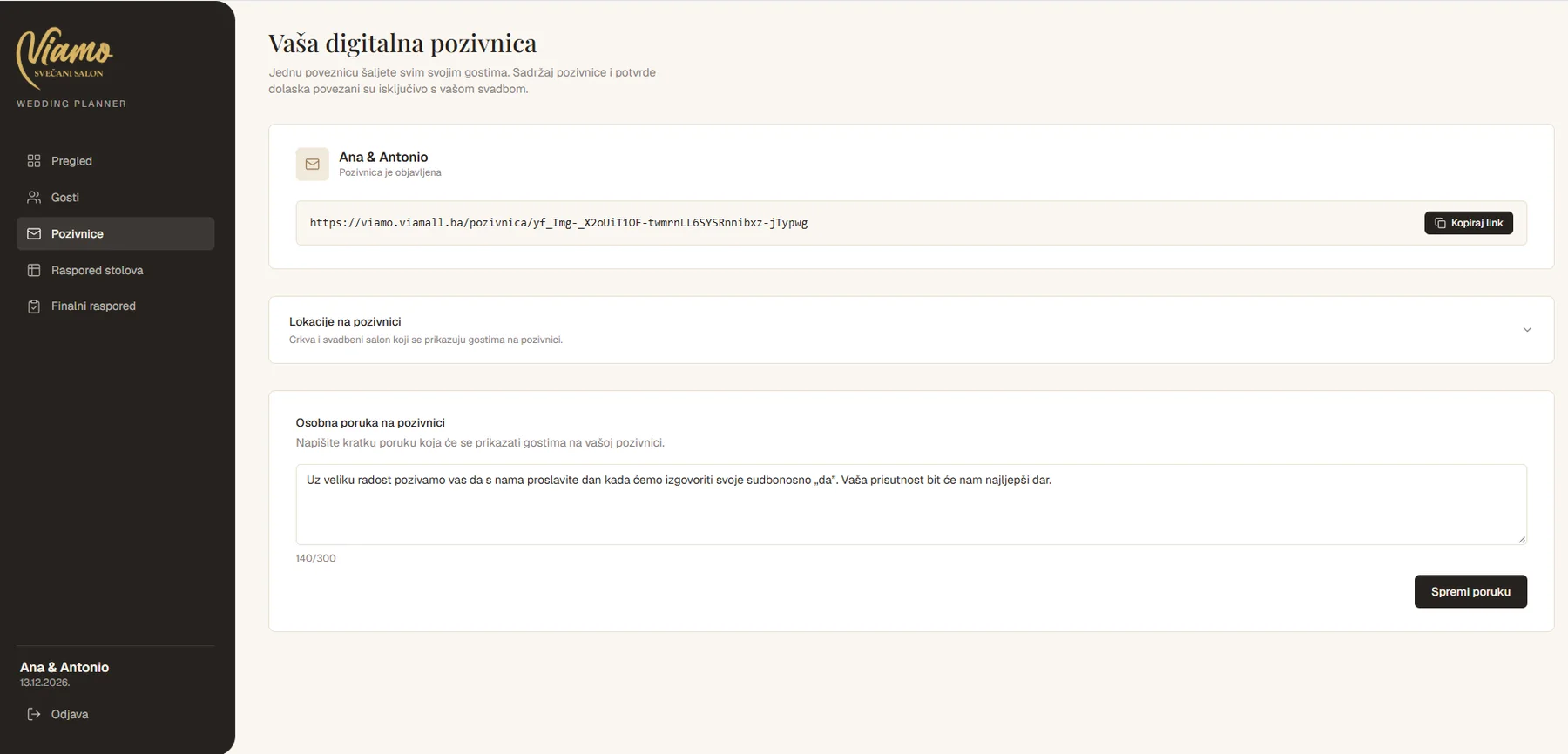
A digital invitation with a single link
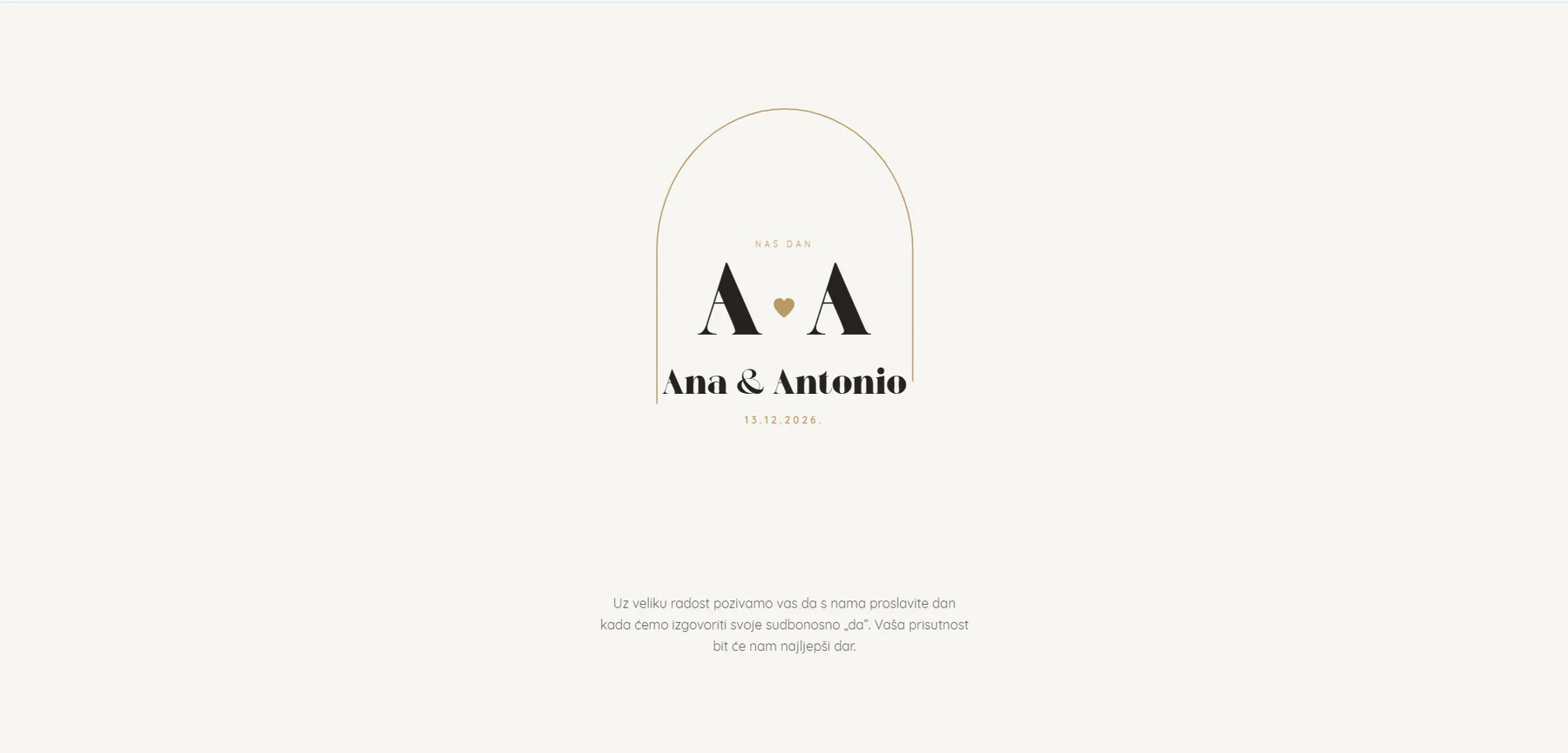
The couple sends the same link to all guests. They edit the personal message and the locations (church and hall) in the application, and the guest sees a finished invitation with the names of the couple and the date.
- One link for everyone
- Personal message
- Locations on the invitation
Guests confirm themselves and the list updates on its own
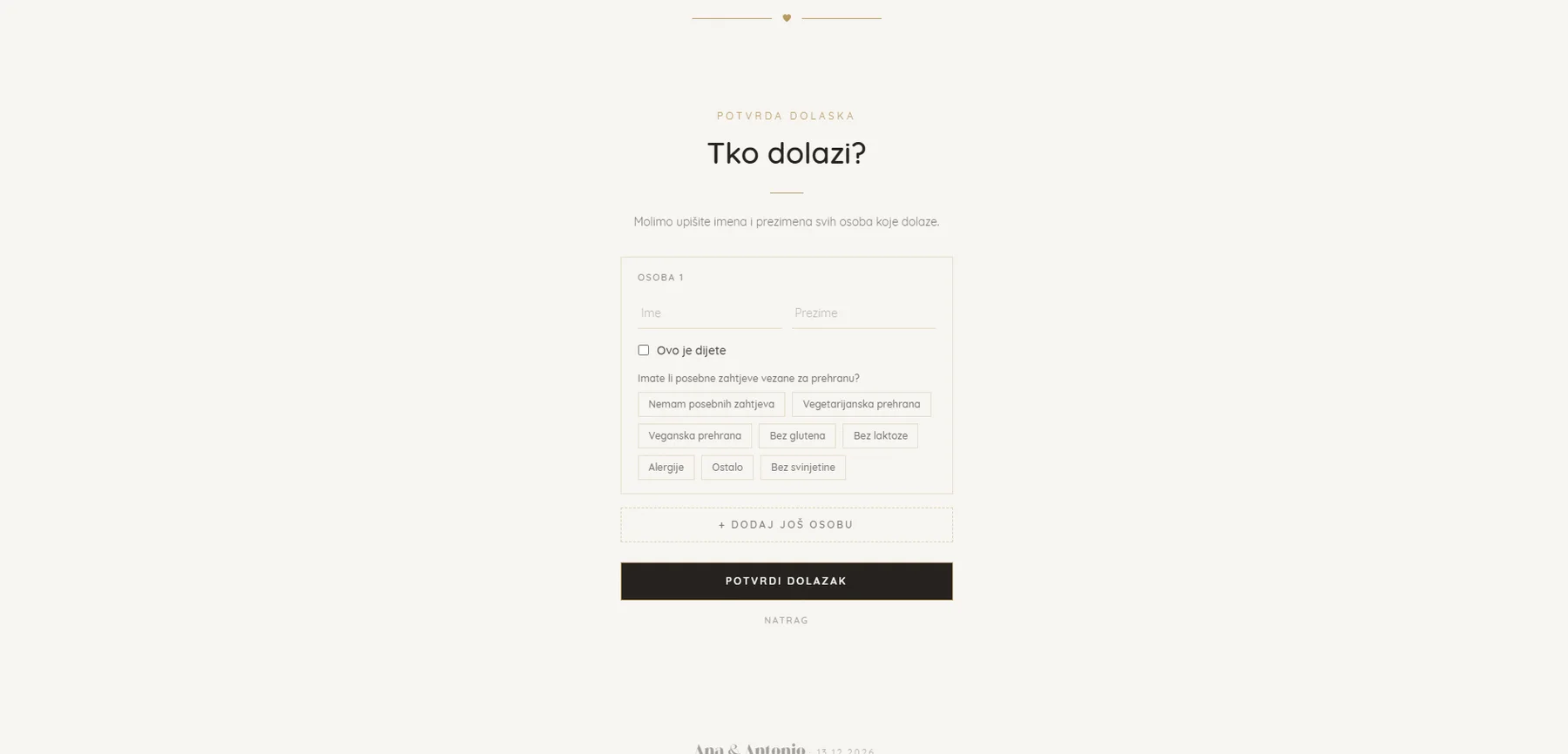
The guest enters the names of everyone who is coming, marks a child and chooses a diet. Each reply goes straight onto the guest list with the RSVP and special requests, without retyping.
- Vegetarian
- Vegan
- Gluten-free
- Lactose-free
- Allergies
- No pork
Guest list, Excel import and a summary for the restaurant
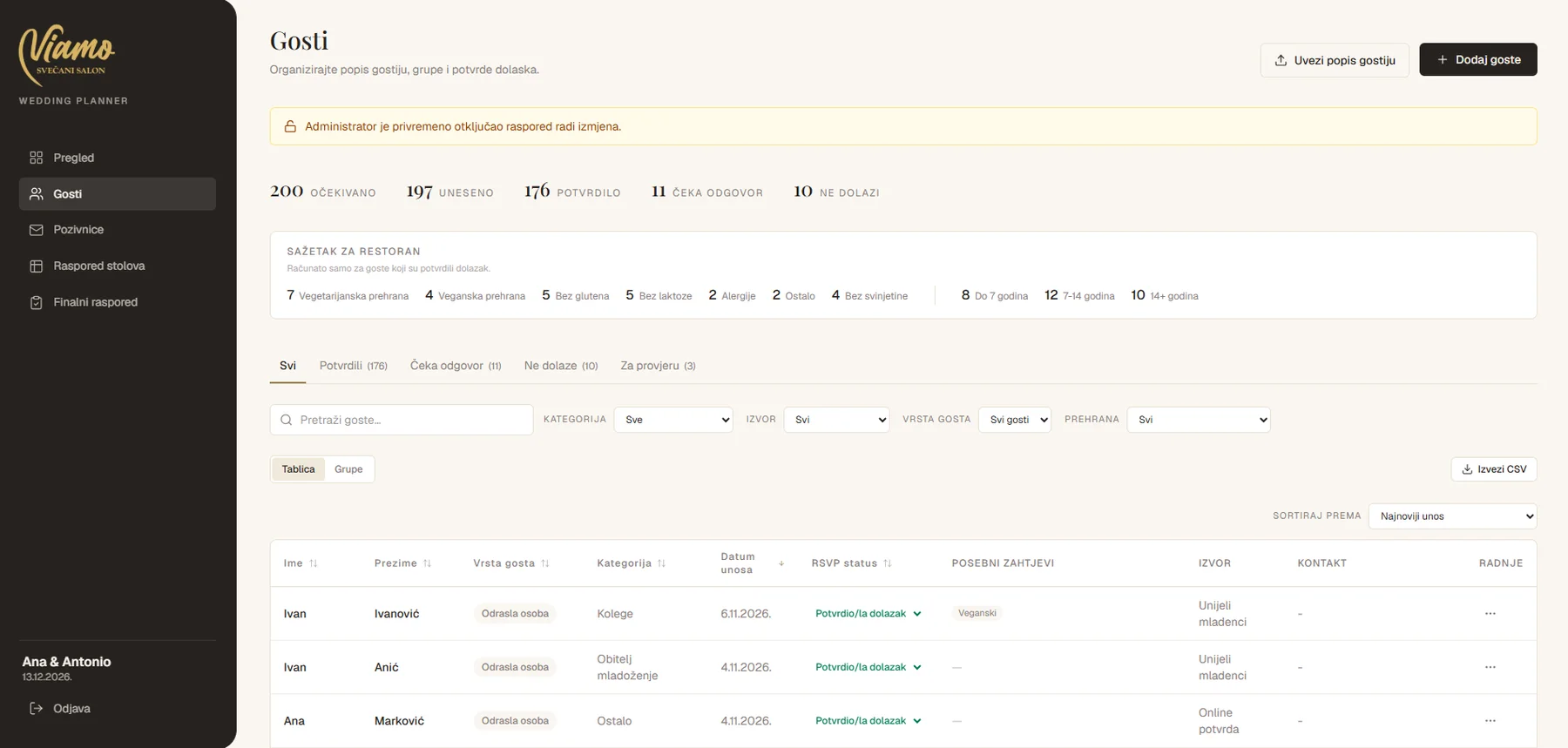
Guests can be searched, filtered by category, source, type of guest and diet, grouped and exported to CSV. An existing list is loaded from Excel with one click, and the RSVP status is changed directly in the table. The summary for the restaurant counts confirmed guests by diet and age.
- List import
- Filters and groups
- Export to CSV
- Summary for the restaurant
Drag-and-drop table seating
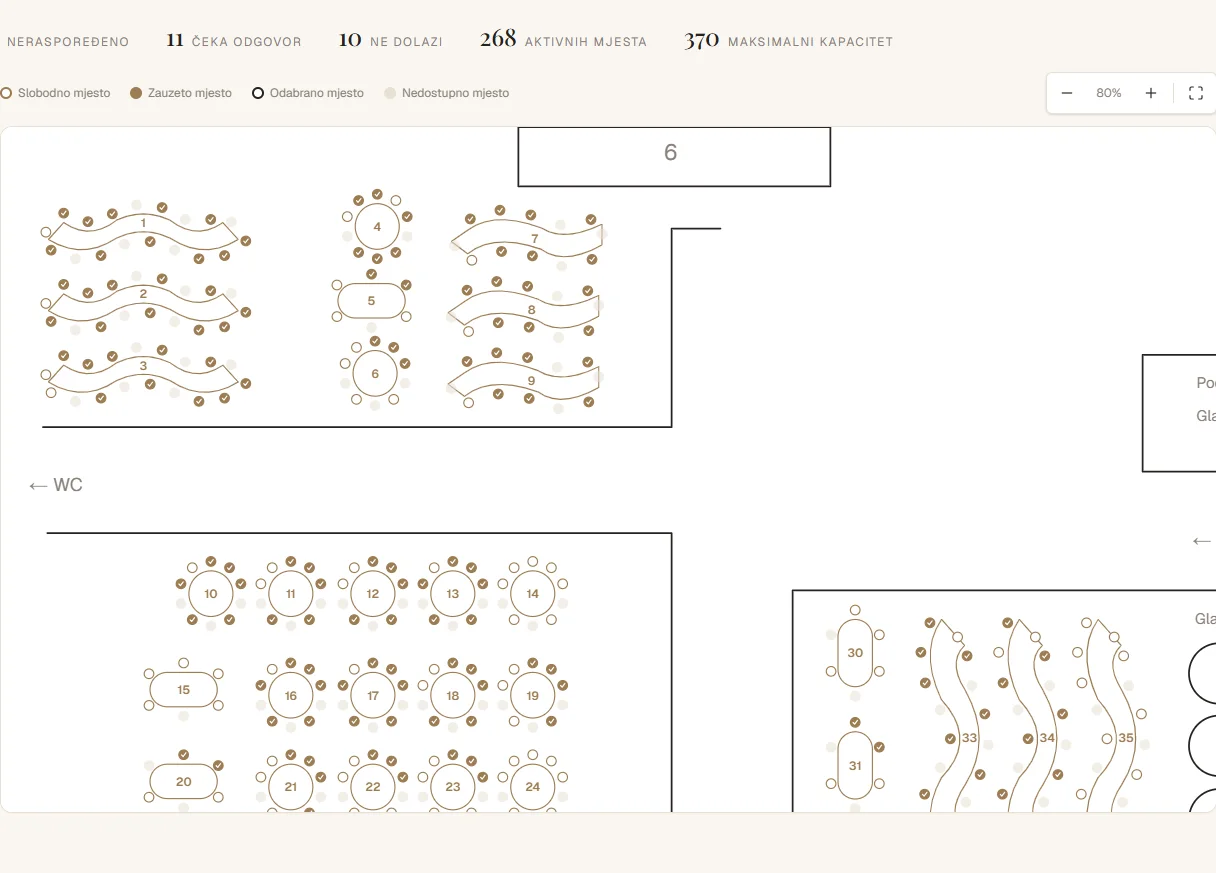
The floor plan of the banquet hall shows every table and its chairs. Guests are dragged to free seats, the occupancy of each table is visible, and the number of chairs can be changed within the permitted maximum. The numbers in the header show how many guests are seated and how many are not yet.
- Drag and drop
- Occupied and free seats
- Number of chairs per table
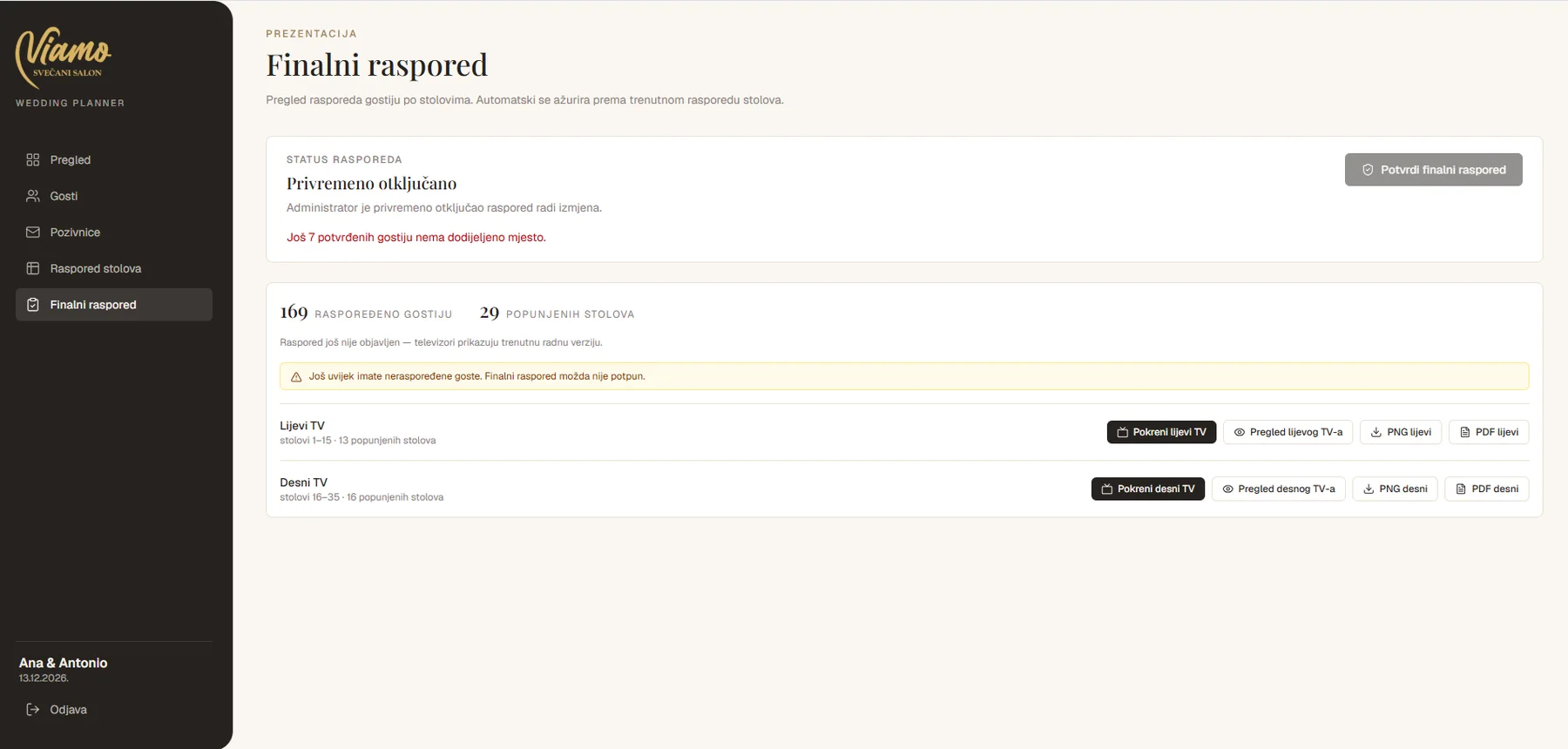
The final plan, ready for the TVs
The seating by table is shown on the left and right TV in the hall, with a preview and PNG and PDF export. The application warns if any guests are still unseated, so the final version is never incomplete.
- Left and right TV
- PNG and PDF
- Warning about unseated guests